Tabs that keep running
Close the window, quit the app, restart the daemon. Builds, servers and shells carry on, and reopen with their output and blocks.
● v0.1.0 · macOS 13+ · apple silicon + intel
Swarm is a terminal where every tab is a session owned by a small background daemon, on your Mac or on a server. Quit the app, lose Wi-Fi, update it: your shells, builds and servers are still there when you come back.
swarmctl ls --host my-server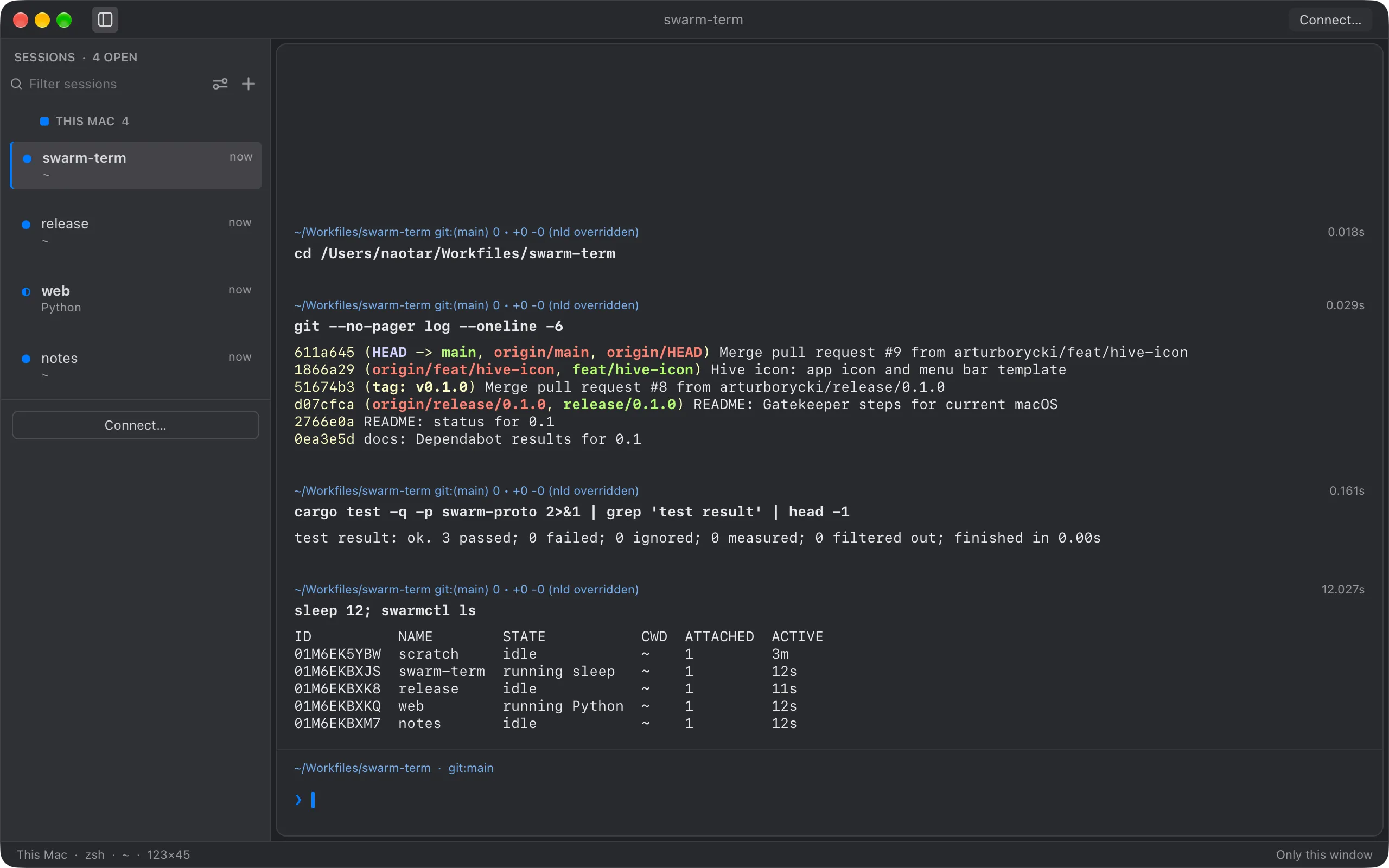
# how it works [ three processes ]
Shells don't belong to the app. Each one lives in its own small process under swarmd, which keeps its output. The app, or swarmctl, attaches and detaches as it likes.
this mac
my-server
# features [ 6 ]
Close the window, quit the app, restart the daemon. Builds, servers and shells carry on, and reopen with their output and blocks.
Connect to Linux and macOS hosts over your own ssh setup. Swarm installs its daemon there and reconnects after sleep or a dropped network.
Built on Warp’s open-source engine: commands as blocks, a real text editor for input, completions. One panel per session, splits for more.
A new version moves running sessions to its new session process in place. Same process, same output, nothing restarted.
16 MB per session in memory. Optionally keep far more on disk, encrypted with a key only that session holds.
swarmctl lists, attaches, renames and dumps sessions, on this Mac or on any host you can ssh to.
# cli [ swarmctl ]
The same sessions the app shows, from any terminal or script. Add --host to reach a server's sessions through your ssh config, keys and jump hosts.
$ swarmctl ls --host build-box
ID          NAME     STATE          ACTIVE
01M6EKBXJS  release  running cargo  now
01M6EKBXK8  logs     running tail   3s
01M6EKBXKQ  shell    idle           2h

$ swarmctl attach release --host build-box
   Compiling swarmd v0.1.0
    Finished release [optimized] in 41.2s
[ctrl-\ detaches; the build keeps going]

$ swarmctl dump release > build.log
# get it
Universal app for Apple silicon and Intel, macOS 13 Ventura or later. Remote hosts can be Linux or macOS.
This early build isn't notarized yet. After the first launch, allow it in System Settings → Privacy & Security → Open Anyway.